
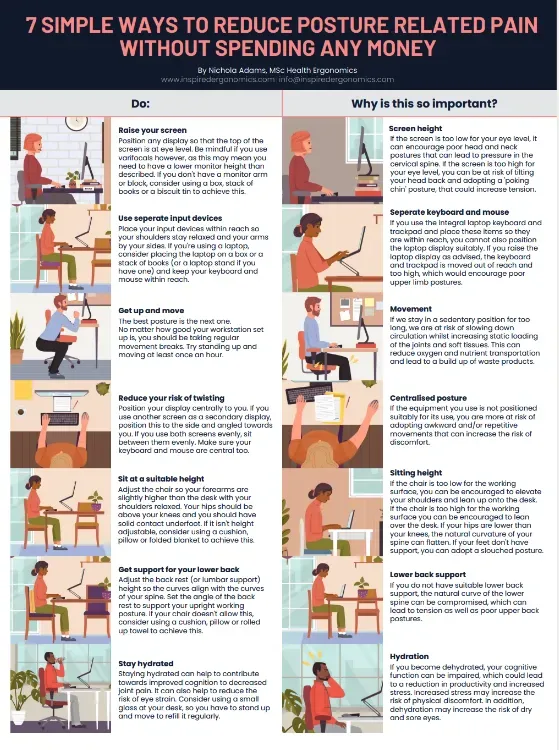
Raise your screen
Position your display so the top of the screen is at eye level. If you wear varifocals, you may need a lower monitor height. If you do not have a monitor arm or block, try a box, stack of books or biscuit tin.
A screen that is too low can encourage poor head and neck postures. If it is too high, you may tilt your head back and adopt a poking-chin posture, which could increase tension.
Use separate input devices
Keep your keyboard and mouse within reach, with your shoulders relaxed and your arms by your sides. If you use a laptop, you can raise its display on a box, books or a stand and use a separate keyboard and mouse.
Using a laptop’s built-in keyboard and trackpad makes it difficult to position the screen suitably at the same time. Raising the laptop also raises its keyboard and trackpad, putting them too high and out of reach.
Get up and move
The best posture is the next one. However well your workstation is set up, take regular movement breaks. Try standing up and moving at least once an hour.
Staying still for too long can slow circulation and increase static loading on joints and soft tissues. Movement helps you change position rather than remaining sedentary throughout your working day.
Reduce your risk of twisting
Position your main display centrally in front of you. Place a secondary screen to the side, angled towards you. If you use both screens equally, sit evenly between them. Keep your keyboard and mouse central too.
Equipment that is poorly positioned for the way you use it can encourage awkward or repetitive movements and increase the risk of discomfort.
Sit at a suitable height
Adjust your chair so your forearms are slightly higher than the desk and your shoulders stay relaxed. Your hips should be above your knees, with solid support under your feet. If your chair is not height adjustable, consider a cushion, pillow or folded blanket.
A chair that is too low can encourage you to raise your shoulders and lean up onto the desk. If it is too high, you may lean over the desk. Unsupported feet can encourage slouching.
Get support for your lower back
Adjust the backrest or lumbar support height so its curves align with the curves of your spine. Set the backrest angle to support your upright working posture. If your chair does not allow this, try a cushion, pillow or rolled-up towel.
Without suitable lower back support, the natural curve of your lower spine can be compromised. This can lead to tension and poor upper back postures.
Stay hydrated
Keep water to hand. Consider using a small glass at your desk, so you need to stand up and move to refill it regularly.
Dehydration can affect cognitive function, which could reduce productivity and increase stress. Increased stress may increase the risk of physical discomfort. Dehydration may also increase the risk of dry, sore eyes.
Put the advice into practice
For help adjusting your chair to you, explore our chair education and set-up service. For advice on your whole working environment, find out about a workstation assessment.